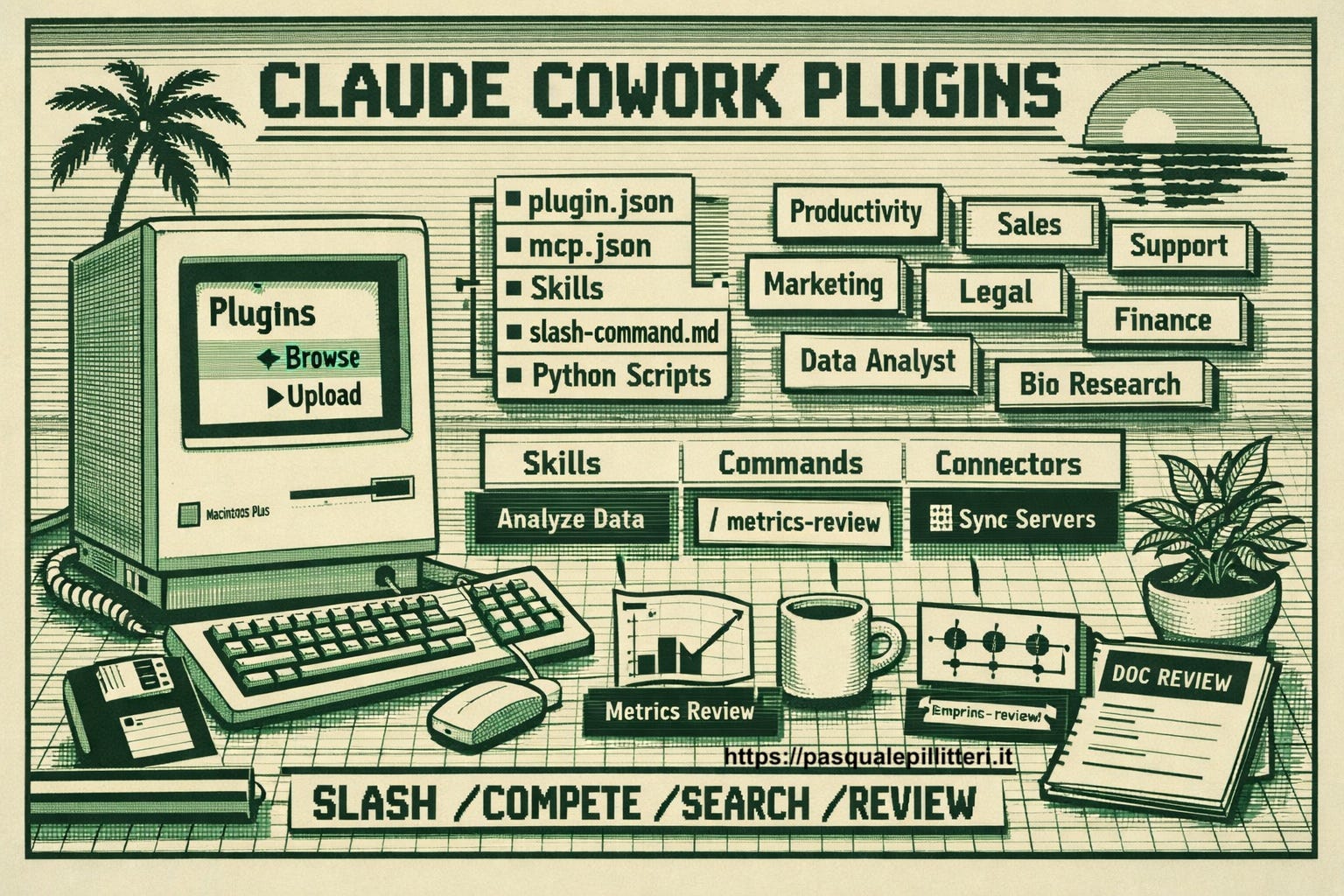

I just started using Claude Cowork and the in-app plugins this past month, and it has dramatically increased my productivity, accuracy and total output.
I’ve realized THIS is what all the buzz is regarding “I now have a junior analyst and operations assistant living on my desktop!”
Cowork is where the real acceleration of workflow starts, and where we can enable tools to work for us in the background.
I usually wouldn’t post about something like this, but I feel it’s that important, and can save everyone reading this, hours during the work week.
In this post I’ll show you what Cowork actually is, how skills and plugins fit in, and a few concrete workflows you can steal for your own investing process and everyday work.
What is Claude Cowork?
First let’s start out with what Claude Cowork is.
Claude Cowork is a platform capability that allows users to sync their drive and company information into one prompted conversation.
It’s essentially a mode inside Claude where the AI can plan and execute multi‑step tasks on your behalf instead of just responding one message at a time.
Anthropic describes Cowork as using the same agentic architecture as Claude Code, but packaged for non‑technical knowledge work right inside the desktop app.
Cowork works directly with a folder or project on your computer, reading, editing and creating files. This allows AI to continually live within your workflow, instead of starting from almost ground-zero within a chatbot.
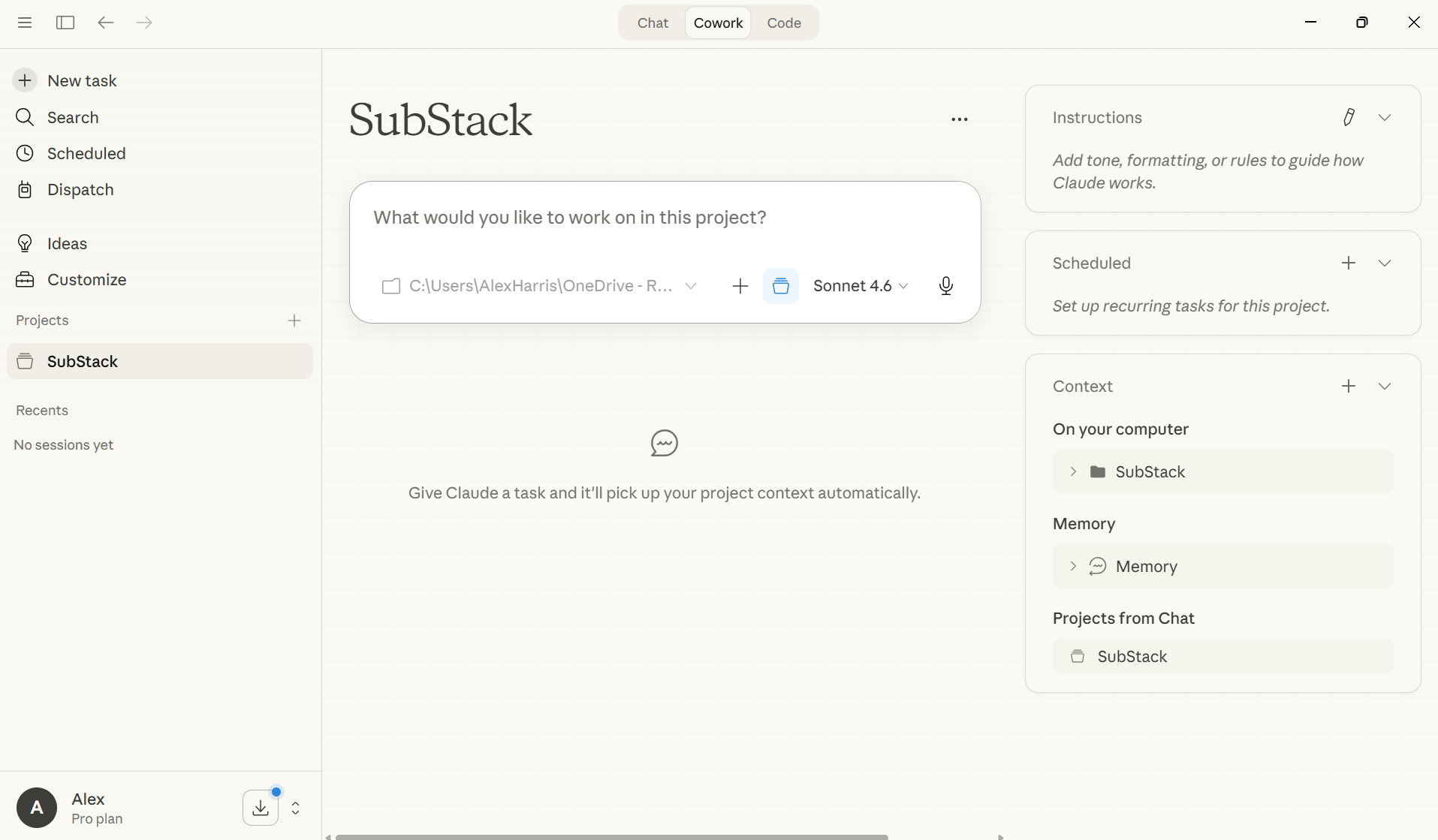
I’ve been using this at work for a multitude of tasks such as data cuts, modeling questions, market landscaping, industry deep dives, company specific questions and other simple tasks like notes summaries, quick data pulls and general questions that require drive-level context (aka specific folders).
Doing these things regularly within Cowork has legitimately saved me 15-20 hours a week… and has provided more value at the same time.
For Substack, it's a great resource because the AI can continually learn from current posts, portfolio holdings, and general activity across the app.
It’s also great for measuring audience demographics and content-specific interests, and subsequently giving you trend-level feedback based on your highest or lowest performing pieces.
Regarding personal investing (the audience likely reading this), there are a multitude of ways you can leverage this, which I will get into later in this writeup.
I'll be the first to admit this is ironic given the writeup you're reading, but the best way to learn Cowork is to just buy it and start tinkering.
Doing always beats analyzing through instructions and tutorials, in my opinion.
As always, I would really appreciate if you shared this post and subscribed to ThePrivatePublicInvestor, as I try my hardest each week to give you custom, in-depth analysis on stock investments, market insights and portfolio strategies.
Application Plugins
Two capabilities that contribute to the efficiency of Cowork are skills and plugins.